Send a link. Drop a file.
Share a branded upload link with anyone, no Airtable seat required, or drop a CSV or Excel file yourself. One simple, governed way for data to enter.
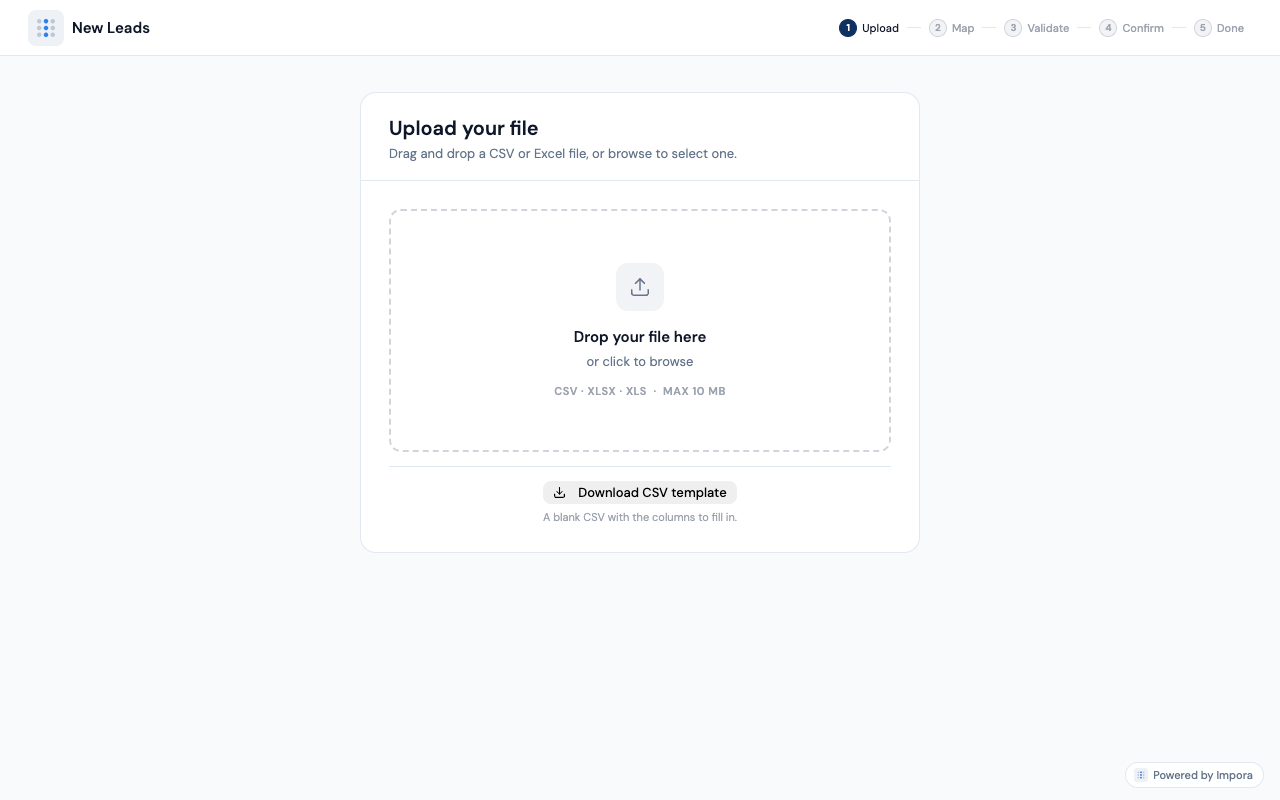
Import CSVs to Airtable without cleanup work. See CSV to Airtable →
Their columns, your fields.
Messy headers and mismatched types get lined up against your live Airtable fields, with required fields flagged and linked records and single-selects included. Impora remembers the mapping for next time.
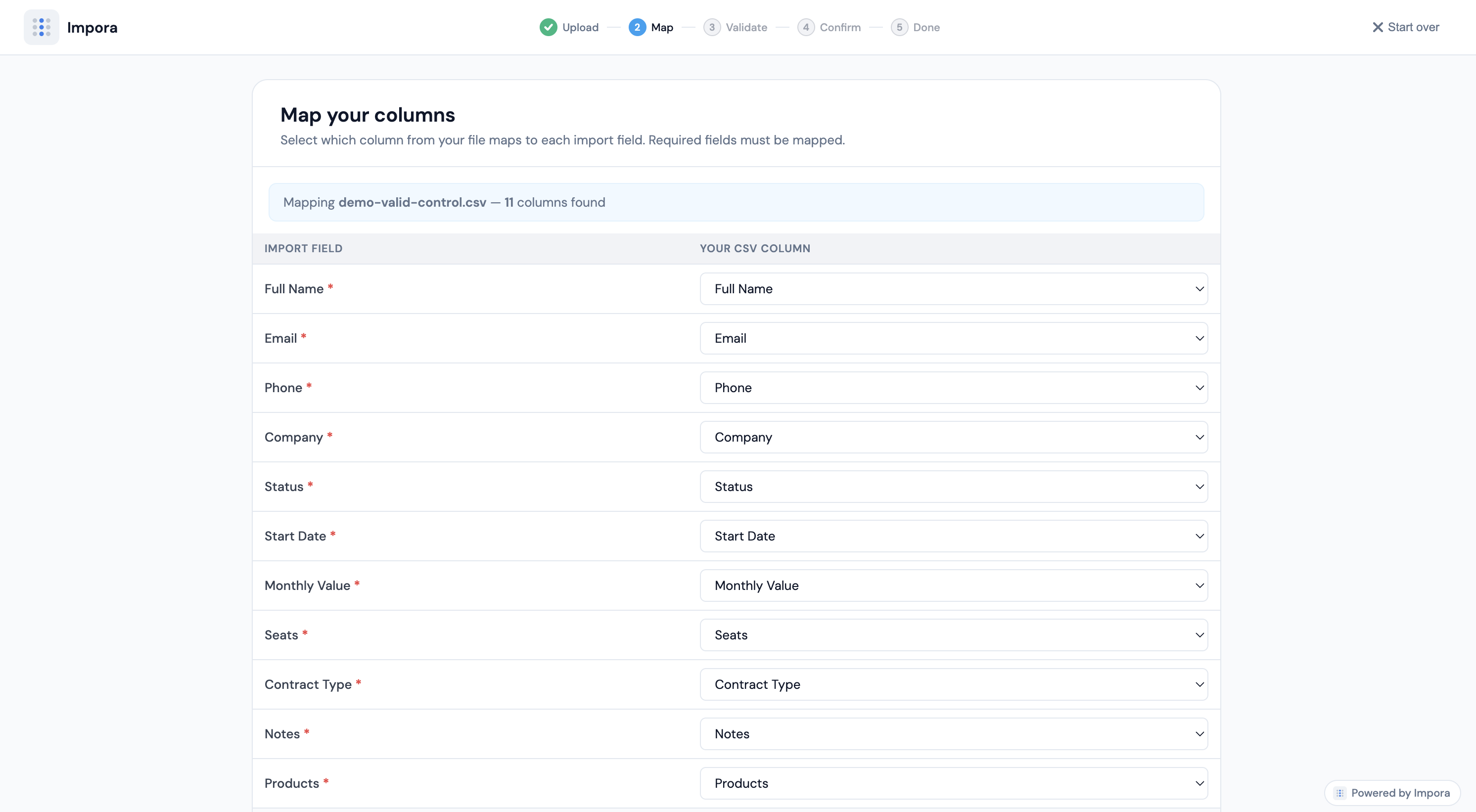
Every column matched to a real field in your base.
Checked at the gate. You approve.
Dates, numbers, dropdowns, linked-record matches: all validated against your schema. Bad rows are held back to fix inline, never silently written. Nothing commits until you approve it.
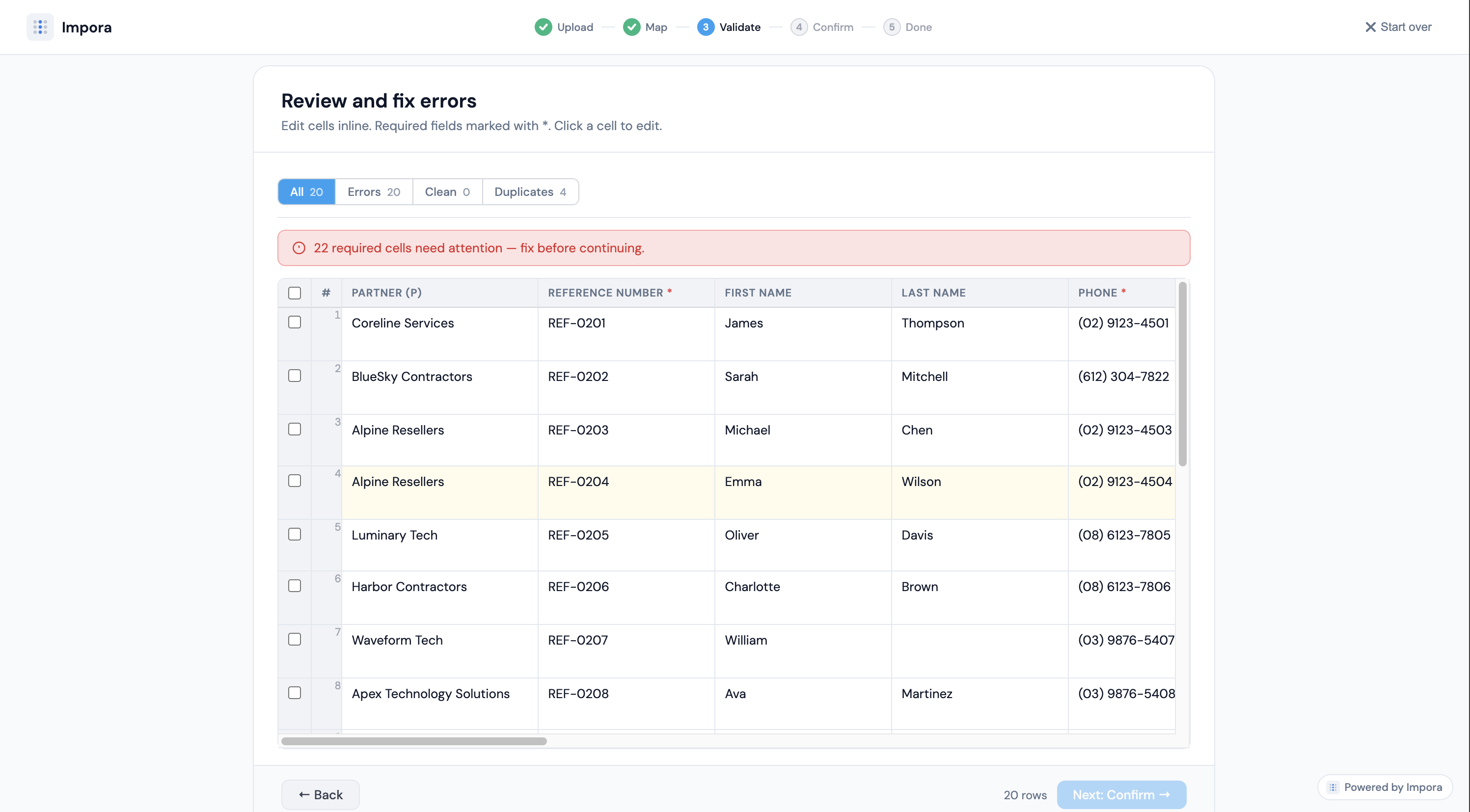
Issues surfaced and fixed before anything is written.
Into your base, ready to use.
Records land fully structured: linked, typed, deduped, with created/updated/failed totalled. No half-imports, no orphaned rows, no cleanup afterward.
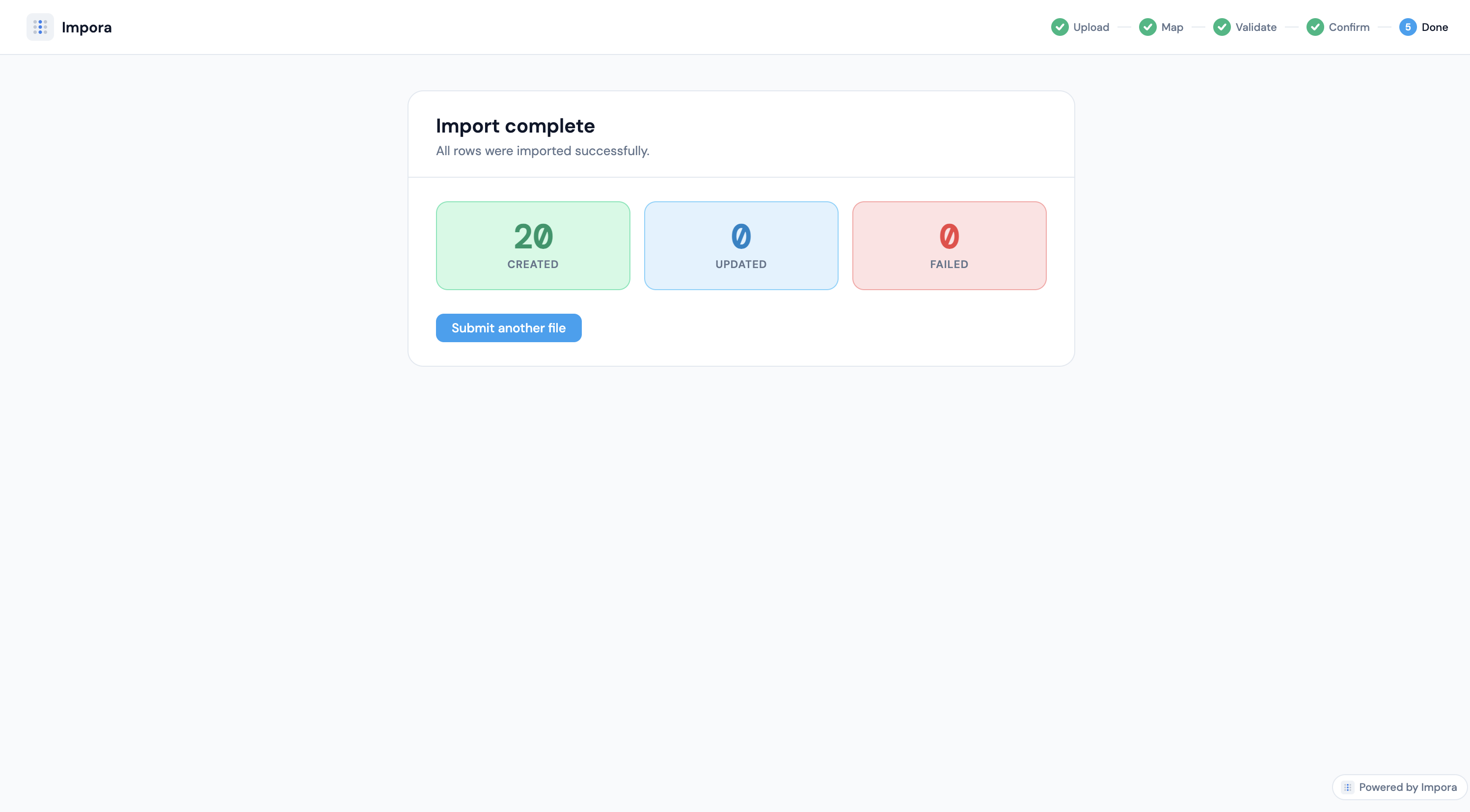
Created, updated, failed: totalled and clean.
Turn shared folders into Airtable intake lanes.
Point Impora at a cloud folder in Google Drive, SharePoint, or OneDrive and it works in both directions: pick up new files dropped there to import, and deposit exported CSV or XLSX back out for the rest of your team and tools.
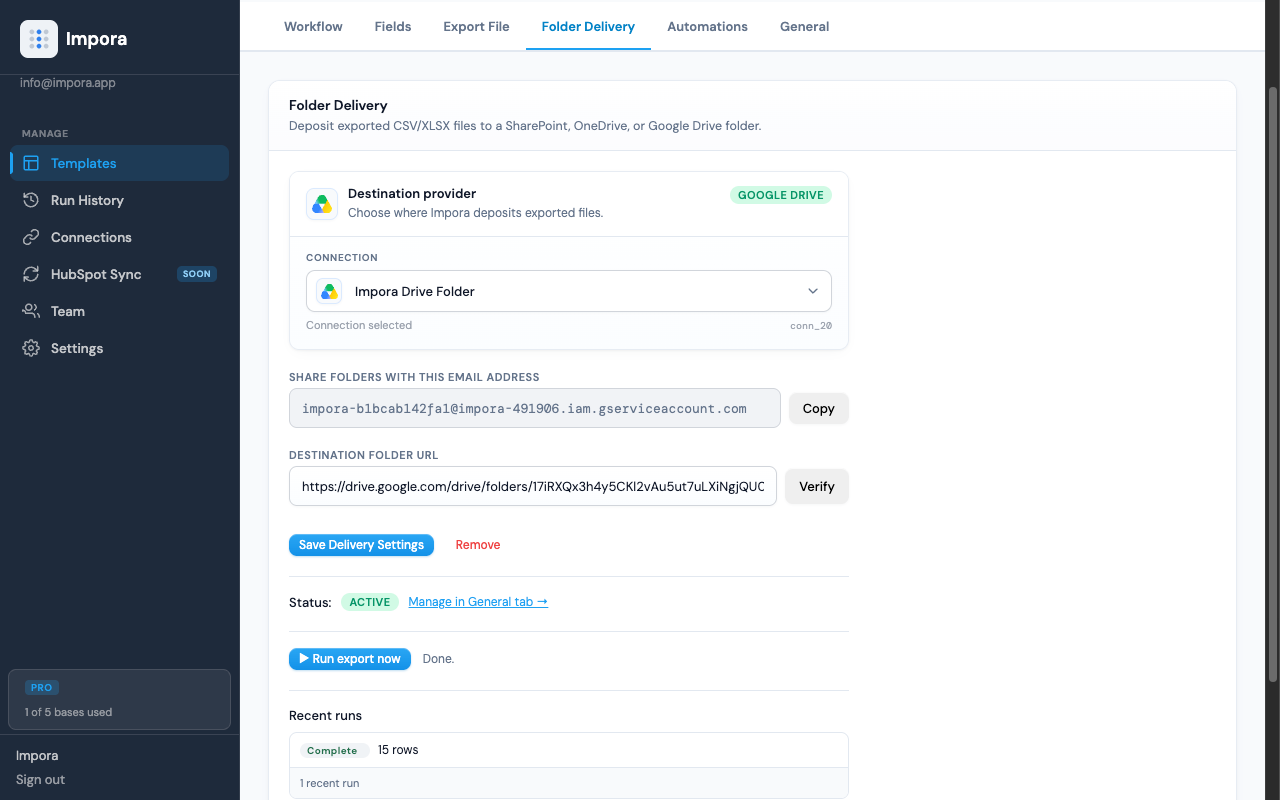
Import from the folder, export back to it, all on the same connection.
Turn email attachments into governed Airtable imports.
Forward a spreadsheet to your import address and Impora brings it in; compose a message once and it emails the exported file back out to recipients on every run, attachment and delivery log included. Both directions, logged.
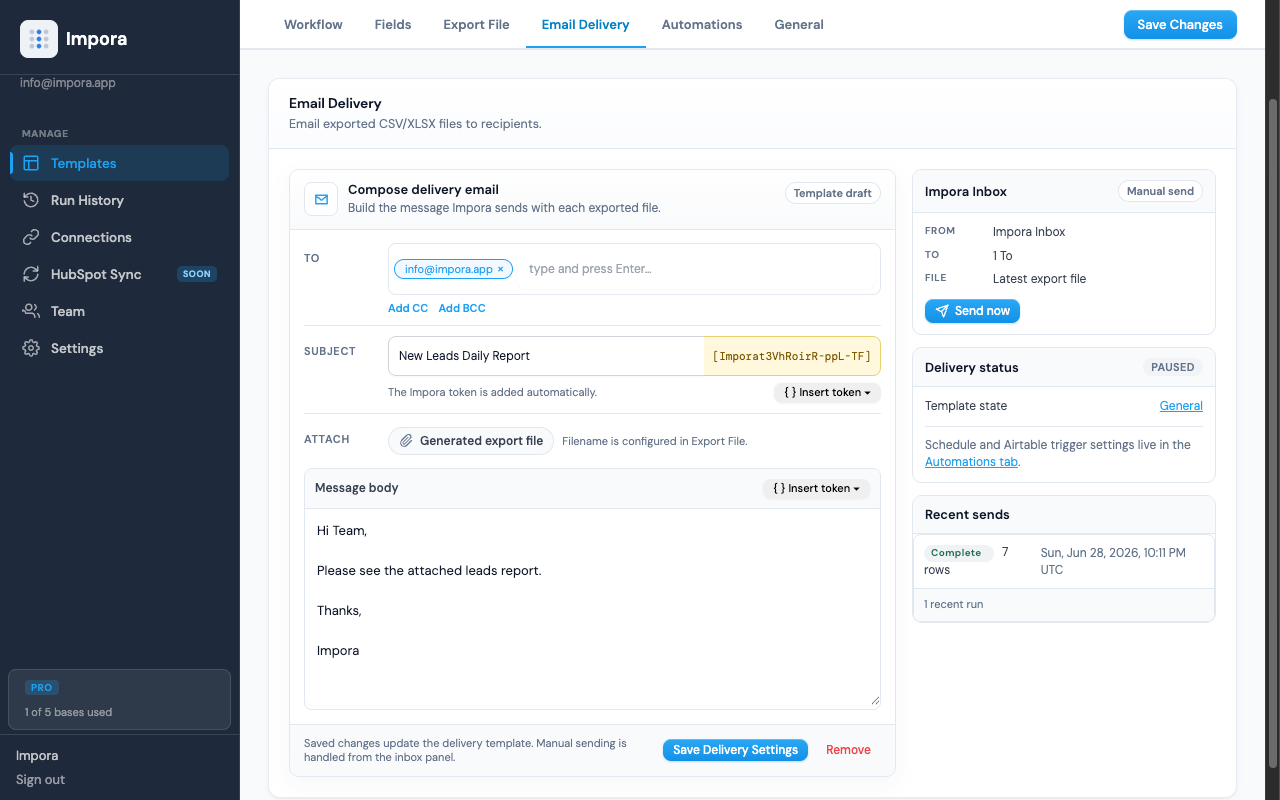
Attachments imported in; exported reports delivered out.
Set it once. Then forget it.
Make any template run on its own, two ways. Configure a schedule right on the template, or fire it from a webhook triggered by an Airtable automation. Either way, imports and exports just happen.
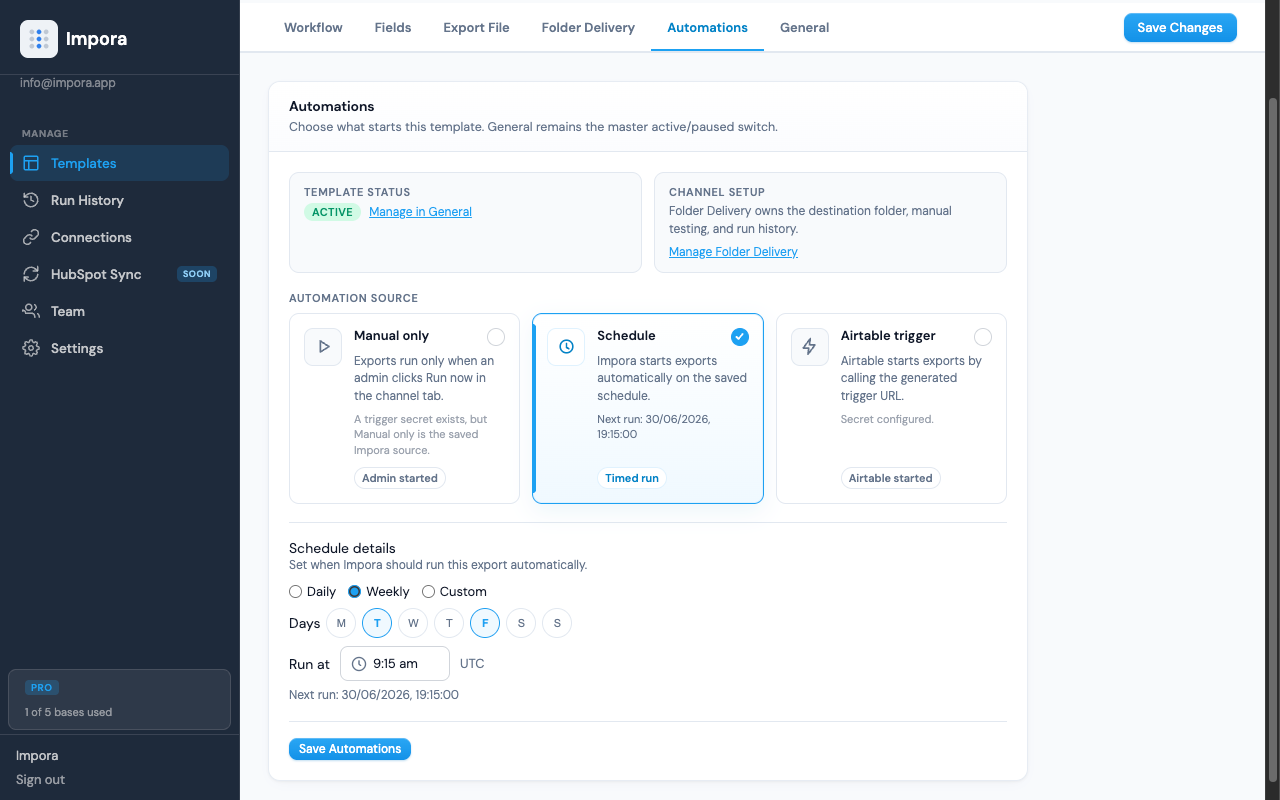
Schedule it, or trigger it from Airtable by webhook.
Every run, on the record.
Every import and export, whether manual, scheduled, or webhook, is logged with its source, file, and record counts. When a file runs through the headless folder pipeline, good rows go straight in and any that fail are split into an error report, so you fix just those and re-run without disturbing the rows that already landed. Two-way HubSpot sync is on the way, too.
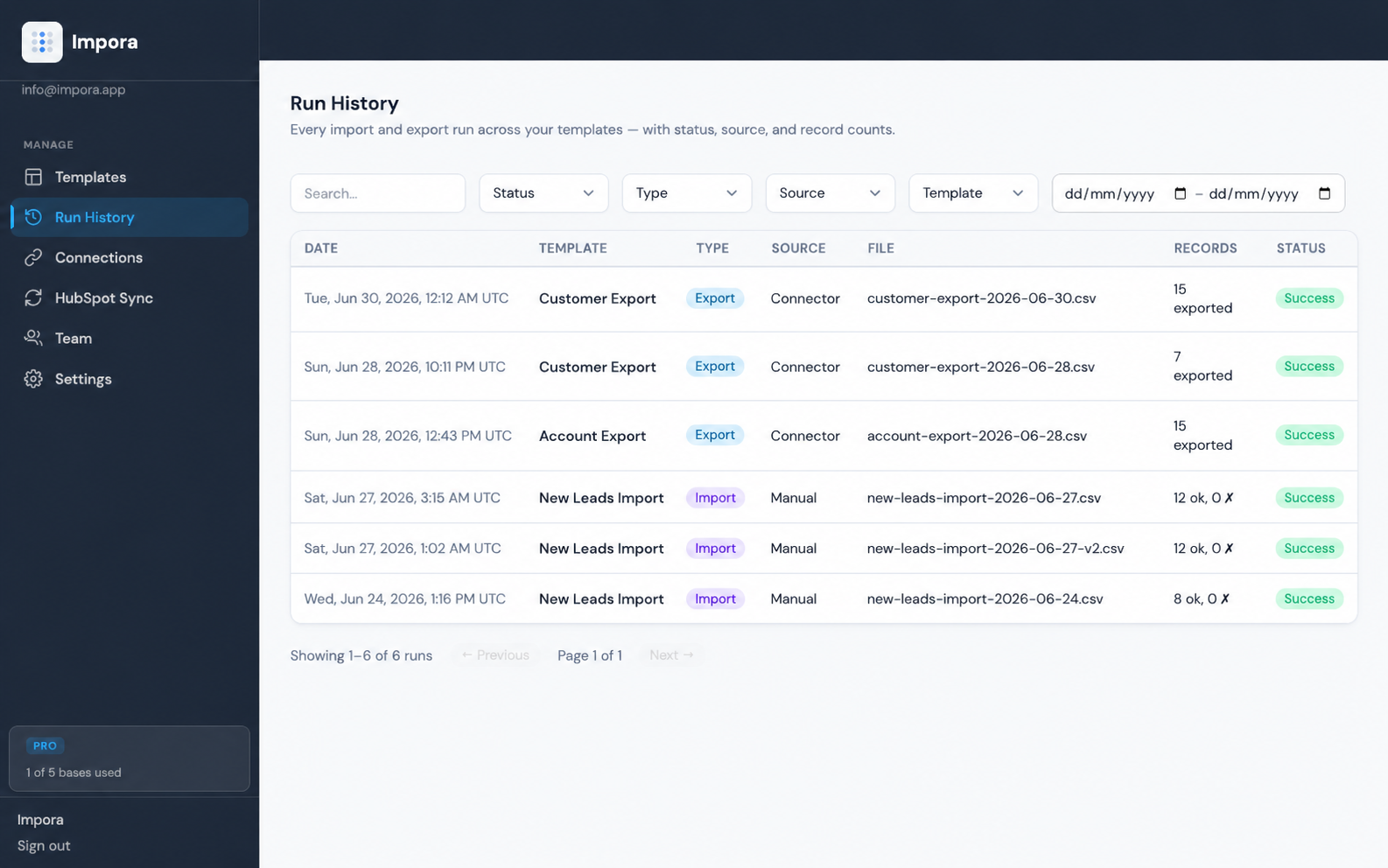
Good rows through, failed rows to an error report, fix and re-run.
See it run
Airtable data out, automatically.
A two-minute walkthrough: build a scheduled export once, and Impora emails a clean CSV or Excel of your Airtable view every week. No manual runs.
A two-minute walkthrough of a scheduled Airtable email export.
Airtable–HubSpot sync for Contacts, Companies, Deals, and relationships.
The optional second product. It builds on the clean data your import tool already produces. Contacts, Companies, and Deals will stay in sync both ways, with associations mapped, identities matched, and every conflict queued for review before anything writes. Not a HubSpot user? The import and export tool stands completely on its own.
- ✓Airtable linked records mapped to HubSpot associations
- ✓Identity matching against both schemas before any write
- ✓Conflict review queue with an operator-visible audit trail
Start a Business plan before launch to reserve Sync and keep this rate for as long as you stay.
Start a Business plan → Not ready? Join the Sync waitlist for updates →Import, validate, and recover Airtable data before it lands.
Impora's live product is controlled Airtable data movement: uploads, validation, review, exports, email handoff, folders, and recovery.
Duplicate detection · branded upload pages (logo, colours, header) · team workspaces with roles · per-field include / required / hidden control · record-ID upsert · upload-completion emails · scheduled exports to SharePoint, Google Drive & OneDrive.
Rated against each tool's most capable path, sources accessed 29 Jun 2026. Airtable's CSV Import Extension is paid-only and capped at 25,000 rows / 5 MB; CSVBox, Flatfile and OneSchema are generic importers without a native Airtable connector. See the pricing page for the full breakdown.